Home / Guides / KDP spine width and full cover size: the formula, with worked examples
KDP spine width and full cover size: the formula, with worked examples
Facts checked 2026-11-16. Published by Low Content Studio, which is not affiliated with Amazon.
Why the spine has to be calculated
A paperback cover is printed as one flat sheet that wraps around the book: back cover, spine, front cover. The spine is the strip that covers the thickness of the stack of pages, so its width depends on how many pages there are and how thick the paper is. If your spine is too wide or too narrow the design shifts around the book edge, the front cover can wrap onto the spine and the book looks badly made.
The calculation itself is simple multiplication, and KDP publishes the numbers. The mistakes come from using the wrong page count, the wrong paper or forgetting bleed.
The spine width formula
Spine width in inches equals the page count times a per-page thickness that depends on paper type. KDP's factors are below. The page count is the number of pages in the interior PDF, including blank pages and front matter, not the number of designs.
| Paper | Inches per page |
|---|---|
| White | 0.002252 |
| Cream | 0.0025 |
| Standard color | 0.002252 |
| Premium color | 0.002347 |
Worked example: 100 pages, three papers
For a 100-page book, white paper gives 100 x 0.002252 = 0.2252 in. Cream gives 100 x 0.0025 = 0.2500 in. Premium color gives 100 x 0.002347 = 0.2347 in. The difference between white and cream is about a fortieth of an inch, which is enough to shift where the fold falls.
A second example from the sample book on this site: its interior has 26 pages on white paper, so the spine is 26 x 0.002252 = 0.0586 in, narrow enough that there is no room for spine text.
From spine to full cover size
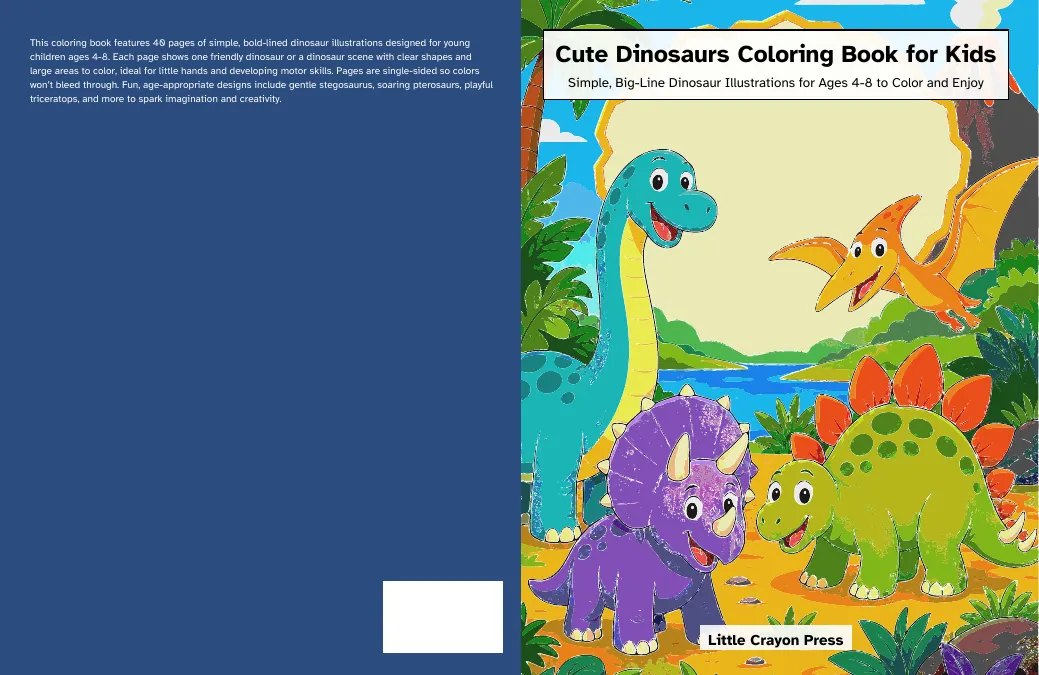
KDP gives the cover width as bleed plus back cover width plus spine width plus front cover width plus bleed, and the height as bleed plus trim height plus bleed. The bleed is 0.125 in on the top, bottom and outside edges of the cover.
For the 8.5 x 11 in trim and 100 white pages: width = 0.125 + 8.5 + 0.2252 + 8.5 + 0.125 = 17.4752 in, and height = 0.125 + 11 + 0.125 = 11.25 in. At KDP's minimum image resolution of 300 DPI that is 5243 by 3375 pixels for a raster cover.
| Trim (100 pages, white) | Spine | Full cover |
|---|---|---|
| 8.5 x 11 in | 0.2252 in | 17.4752 x 11.25 in |
| 8 x 10 in | 0.2252 in | 16.4752 x 10.25 in |
| 8.25 x 8.25 in | 0.2252 in | 16.9752 x 8.50 in |
When you can put text on the spine
KDP requires a minimum of 79 pages for text on the spine, and the text needs at least 0.0625 in of space between it and the edge of the spine on each side. Below 79 pages leave the spine blank or use a solid color. At 79 pages on white paper the spine is 0.1779 in wide, so the usable width for text is 0.0529 in, which is why spine text on a thin book has to be small.
The barcode area
You can upload a cover with a barcode or without one. If you do not provide your own barcode, KDP places one on the back cover automatically. Leave the lower area of the back cover clear of anything important so the barcode does not land on top of your design. KDP's cover template for your specific book is the authority on the exact position.
Common mistakes
These five account for most cover rejections that come from sizing rather than from design.
- Using the number of designs instead of the page count. A one-sided book has a blank page behind every design, so 50 designs make well over 100 pages.
- Using white-paper numbers for a cream book, or the reverse.
- Forgetting to recalculate after adding or removing pages. Every change to the page count changes the spine.
- Forgetting bleed on the cover, so the cover is a quarter inch too narrow and too short.
- Putting spine text on a book under 79 pages.
How exact is the number
KDP's formula gives the nominal spine. Printed books vary slightly, and the template KDP generates for your specific book after you enter its page count, paper and trim is the final authority. Use the formula to plan the design and then compare against the template before you upload. The free spine calculator and cover size calculator on this site apply the same formulas.
Choosing the paper before you size the cover
Paper is a design decision that feeds the cover math. White paper is the default for black ink and gives the sharpest contrast for line art. Cream paper is slightly thicker per page (0.0025 in against 0.002252 in), so the same 100 pages give a spine of 0.2500 in instead of 0.2252 in. Standard color ink has a minimum of 72 pages and uses the same per-page factor as white, while premium color is a little thicker at 0.002347 in per page.
Choose the paper first, because it also changes how the book prints and feels, and check the print cost for that combination in KDP's royalty calculator. Then fix the page count, then compute the spine. Changing paper after the cover is finished means recalculating the cover, even if the page count is unchanged.
End-to-end example: a 50-design coloring book
Take a one-sided book with 50 designs. Pages: 2 front pages plus 50 designs plus 50 blank backs gives 102. On white paper, the spine is 102 x 0.002252 = 0.2297 in. For the 8.5 x 11 in trim, the full cover is 17.4797 x 11.25 in. Because 102 is above 79, spine text is allowed, in a text width of up to 0.1047 in after the margins. The inside margin for the interior is 0.375 in.
Now add 10 designs: 122 pages, a spine of 0.2747 in and a cover of 17.5247 x 11.25 in. The change looks small, about 0.045 in, but your cover file was built for the old number, so it has to be rebuilt. That is why you finalize the interior first and the cover second.
Checking your cover file before upload
Compare the cover file with KDP's template for the same book. The overall size should match, and the spine fold lines should land where your design expects. Look at the spine area: if you have spine text, check it sits centered with the required margin on each side. Look at the front and back edges: any artwork that should reach the edge must extend into the bleed. Finally, check that no important content sits in the barcode area on the back cover.
Related free tool: Spine width calculator.
Questions
Does the page count include blank pages?
Yes. KDP counts every page of the interior PDF, including blank pages and front matter.
Does trim size change the spine width?
No. Spine width depends on page count and paper type. Trim size changes the width of the front and back covers.
Is the calculated spine exact?
It is KDP's published formula, but the template KDP generates for your title is the final reference.
Sources
- KDP: Paperback cover creation (help topic G201953020)
- KDP: Paperback submission guidelines and page counts (help topic G201834180)